
News desk
Stories, categories and an RSS feed, published from HQ and live on the site and in both apps within a minute, with credit for a member who contributed one.

Website, news, events and tickets, a member directory people actually use, a member portal, payments, advertising, a staff admin and native apps. One platform, branded for your chamber, association or community, and running from day one.
Running today at Long Island’s largest chamber: website, HQ, iPhone, Android and Apple Watch.
Illustrative example. Sample brands shown: Harbor Point Chamber, Old Town Business Alliance, Cedar Valley Neighbors, Tri-County Builders Association. These are invented, with sample data, not customers.
Proven in production. The Melville Chamber of Commerce runs its website, staff admin, payments and apps on Wave Community. Read the case study
If you run events, keep a directory, publish news and need members to show up, renew and tell their neighbors, this is your platform.
Membership, networking events and a directory that sends members real business.
Learn moreA professional network with credentials, training events and a member roster.
Learn morePromote the district, fill the street for events and keep every shop listed.
Learn moreNeighborhood associations, service clubs, alumni and nonprofit networks.
Learn moreNo stitching together a website builder, an event tool, a directory plugin and a newsletter service. One member record drives all of it.
Stories, categories and an RSS feed, published from HQ and live on the site and in both apps within a minute, with credit for a member who contributed one.
One calendar for your events and members’ events. Registration with seat caps, a waitlist, paid tickets, Apple Wallet passes, reminders and QR check-in at the door.
Search by name, category, town, or just describe the job and AI finds the member. Every member gets their own page, a QR code and a pin on the map.
Sign in with an emailed code, no passwords. Members edit their listing, manage their team, publish a digital business card and post to the member feed.
Seventeen placements, weighted rotation, run dates and impression and click reports, plus Promoted listings and sponsor walls. Or run with no ads at all.
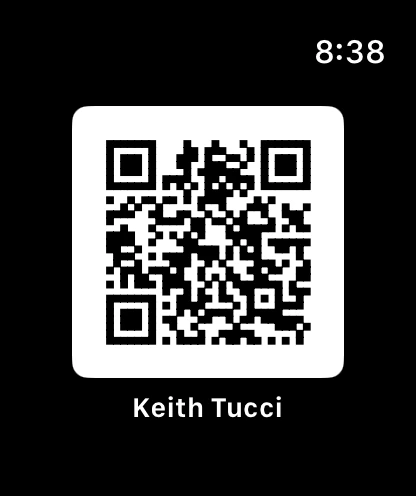
Native iPhone and Android apps with an Apple Watch card and Apple Wallet passes: news, the feed, events and tickets, the directory and push, under your name.
Publish a story, open registration, send a reminder, check people in at the door and see every dollar in one ledger. 24 sections, built for a chamber office rather than an engineering team.
Illustration with sample data
Every member gets a sign-in with no password to forget. They keep their own listing current, invite their own team, post to the member feed and hand out a digital business card. The feed screens every post, and anything reported lands in HQ.
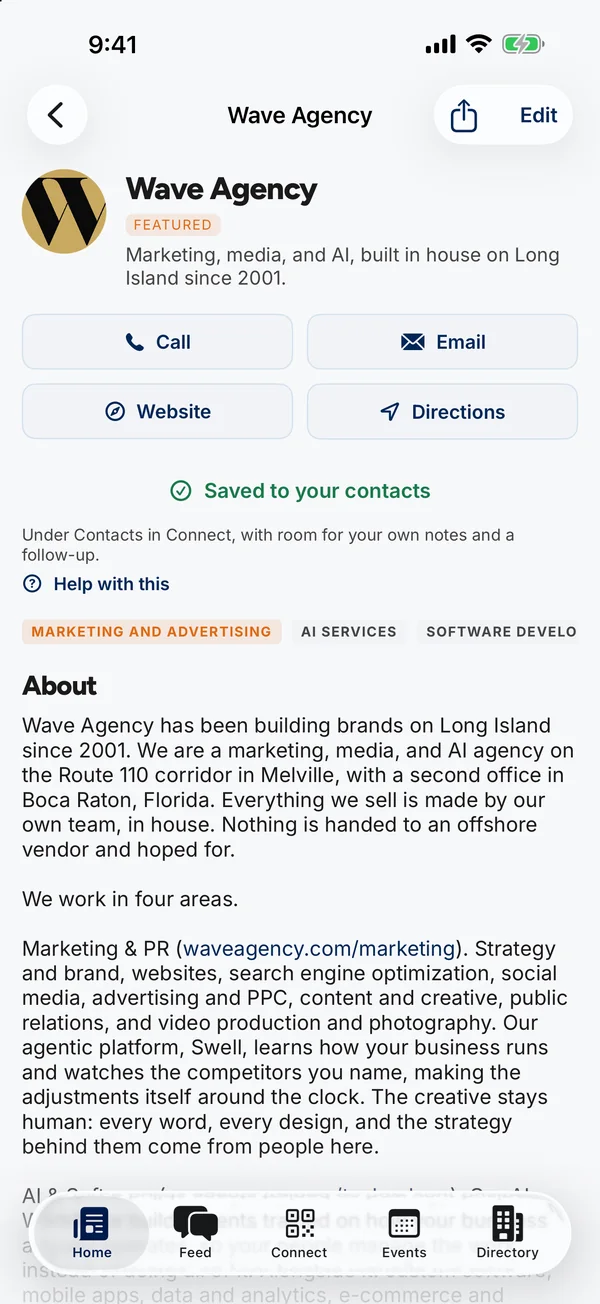
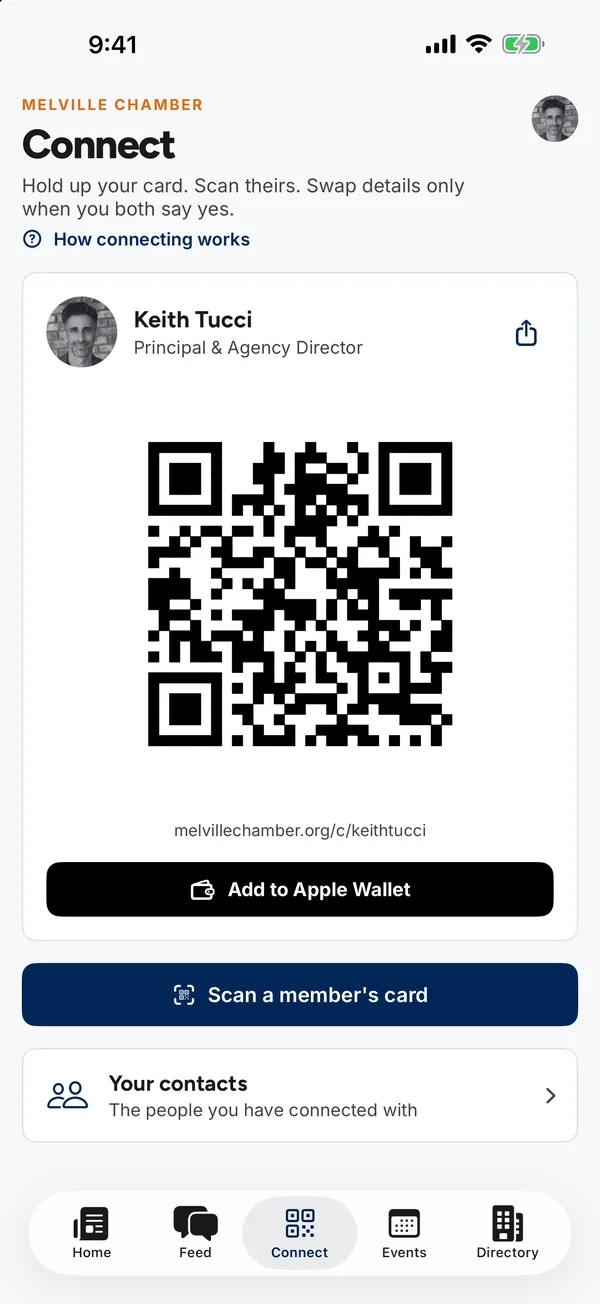
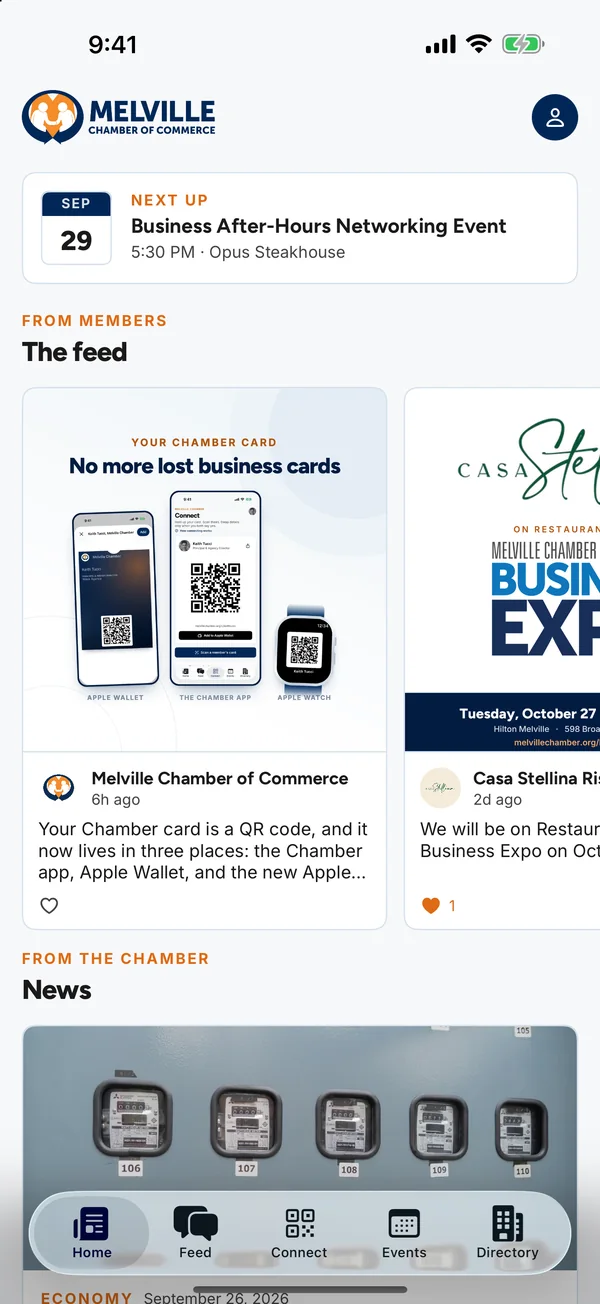
Built from scratch for each phone, not a website in a wrapper. Five tabs: Home, Feed, Connect, Events and Directory.
A line in a list does nothing for a member business. A real page, written the way search engines and AI tools read, gets them named when someone nearby asks who to call.
Name, what they do, address, hours, phone and website, marked up as structured data Google reads directly.
ChatGPT, Claude, Perplexity and Google’s AI answers are welcome, with an llms.txt that tells them what the directory holds.
Visitors can type “fix my roof” instead of a business name, and the directory suggests members who do that work.
Dues, tickets and sponsorships run through the same platform, so the money and the member record never drift apart.
We do the setup with you. You bring the member list and the brand.
Your name, logo, colors, domain and mail. The platform wears your identity everywhere members see it.
A spreadsheet from whatever you use today. We clean it, categorize it and pin every address on the map.
A working session in HQ with the people who will publish, run events, approve new members and work the door.
We move your domain, redirect the old site’s links so search rankings carry over, and invite members.
Your community’s name, logo, colors and domain are on everything members see: the website, the emails, the member portal and the app. Wave Community stays in the background.
A real platform. It runs Long Island’s largest chamber, the Melville Chamber of Commerce, today: 500+ member businesses, 809 event registrations, a moderated member feed, an ad server, Stripe dues and native iPhone, Android and Apple Watch apps. Each community gets its own site, database, admin and apps.
Yes. Send a spreadsheet export from whatever you use now. We import it, assign categories and map every member with a street address. Members then claim and complete their own listings.
We map your old pages to the new ones and set permanent redirects before the domain moves, so links people have saved and rankings you have earned carry over.
No password, ever. People sign in with a six-digit code or a one-tap link sent to their email, and a business owner invites their own team. There is nothing to forget or reuse.
Yes, through your own Stripe account. Yearly dues run as a subscription that renews on its own, with a PDF receipt every year. Event tickets, exhibitor tables and sponsorships are one-off payments, and checks and cash are recorded by hand in the same ledger.
By the size of your community and the modules you use, with setup and the member import included. Book a demo and we will quote it for your organization.
A 30-minute walkthrough with your name and colors on the demo, and a straight answer on what launch would take.